Monday, April 22, 2019

How to root the Samsung Galaxy S10/S10e/S10+ (Exynos) with Magisk

A few years ago, the first thing I would do with my new Android device would be to root it. This opened up the ability to install custom ROMs and applications that provided some added functionality that you couldn't get with stock Android. Since then, Android has made leaps and bounds with integrating features into the stock experience typically only found in apps requiring root. Even though my personal reasons for rooting a device no longer exist, the rooting scene is still strong as can be seen with the release of Magisk support for the new Galaxy S10, S10e, and S10+.

The following guide will talk you through how to root your Samsung Galaxy S10, S10e, or S10+. Before you begin, this guide and version of Magisk will be specific for the Exynos version of the Galaxy S10 series. Also, it's worth mentioning that this will trip Knox, which is used to determine warranty status for Samsung. By tripping Knox, Samsung will be able to tell your device has had custom software installed on it and therefore will void the warranty. Knox will not recover even after re-installing the stock firmware.

The process has added complexity given the intricacies of Project Treble and some Samsung-specific implementations, which are explained in full over at the XDA thread. Instigating the rooting process will require you to perform a full wipe of your device so be sure to back up your data.

Unlock bootloader

To root your device, you'll need to have an unlocked bootloader.

  • Head into Settings -> Developer Options
  • Check the option to allow OEM unlocking
  • Power off your S10 and press the Bixy button + Volume Down while plugged into a PC to boot to download mode
  • Long press volume up to unlock the bootloader.
  • This will wipe your data and reboot the device automatically.

As explained in the Magisk notes, Samsung has introduced a feature called VaultKeeper which causes the bootloader to reject any unofficial partitions, so a few extra steps are required.

  • Proceed through the inital setup and skip all the steps.
  • Connect the device to the internet and enable Developer Options.
  • Confirm the OEM unlocking option is visible and is grayed out.
  • The above check is to make sure all looks good before proceeding.

Now the bootloader is unlocked and in a correct state to be accepted by VaultKeeper, we can boot using Magisk. For awareness, the way in which the device is required to boot to circumvent the measures put in place by Project Treble and VaultKeeper, the device will boot into recovery every single time you reboot your device. By doing so, you'll be presented with a warning about having an unlocked bootloader. What you boot into will depend on how long you press volume up, since the recovery and Magisk reside on the same partition.

Here's how to boot using Magisk or into actual recovery, depending on what you want to do:

  • To boot system with Magisk = Power+Bixby+Volume Up -> (Bootloader warning) -> (Release all buttons)
  • To boot actual recovery mode = Power+Bixby+Volume Up-> (Bootloader warning) -> (Keep holding volume up)

How to root the Samsung Galaxy S10

  • Download the firmware for your desired device.
  • Unzip the firmware file and copy the .tar file that begins with AP to your device.
  • Install Magisk Manager from here.
  • In Magisk Manager hit Install->Select and Patch a File and select the .tar file from the previous step.
  • The whole firmware file will be outputted to ./Download/magisk_patched.tar
  • Copy this .tar file to your PC and boot your device to Download Mode
  • Select the magisk_patched.tar file as the AP option in ODIN. Be sure to uncheck Auto Reboot.

At this point, Magisk is now flashed on your device but there are a few more steps to follow.

  • Exit Download Mode and immediately press Power+Bixby+Volume Up to boot to the recovery partition.
  • Select Wipe data/factory reset to wipe the data on your device.
  • Select Reboot system now and immediately press Power+Bixby+Volume Up and release all buttons after you see the warning screen to boot into Magisk.
  • The device will automatically reboot after the first boot.
  • Complete the initial setup and make sure to connect to the internet.
  • You will see Magisk Manager in the app drawer.
  • Launch the app and it will do some additional initial setup.

Roundup

You can now enjoy root and all the goodness that comes with having privileged access. Be sure to check out the official XDA support thread for Magisk and let us know your favorite root apps in the comment section below.

Source: XDA


from Phandroid http://bit.ly/2Pl7lJI
via IFTTT

Samsung puts an indefinite hold on Galaxy Fold launch amid quality control questions

If you were one of the early uptakers of the Galaxy Fold then it seems that your wait may be longer to get your hands on the device than initially anticipated. Samsung has officially delayed the launch of the Galaxy Fold by at least a month, which on the surface would appear to have been contributed to by the issues uncovered by early reviewers that have been dominating the news recently.

The Samsung Galaxy Fold was initially pegged for an April 26th launch, but the $2000 device was met with a few early teething concerns surrounding the screen failing after what appeared to be a screen protector was removed, which turned out to be a fundamental part of the display, and an early life hinge failure.

Samsung issued a statement confirming the purpose of the screen protector and reiterating the importance not to remove it, while also clarifying that it would be investigating the other failures. It didn't look like Samsung seemed that concerned and let it at that. It seems, however, that after getting the units back, someone at Samsung changed their mind. The concern was enough to cause the company to put an indefinite hold on the launch of the device.

No official revised date has been announced with hints only suggesting the device will be delayed by a month. There is still a real possibility that the Fold will incur further delays while Samsung irons out whatever quality control issues it has discovered, going as far as to still not put out of the question a complete cancellation of the Fold altogether if those issues cannot be addressed.

Source: WSJ


from Phandroid http://bit.ly/2vh06JD
via IFTTT

Huawei Mate 20 X 5G shown off in hands-on video

Last year, Huawei launched the Mate 20 and Mate 20 Pro. They also launched another handset aimed at gamers in the form of the Mate 20 X which came with a massive display. If the handset managed to pique your interest, you might have heard the news which is that the company plans on updating it with 5G capabilities this year.

In a video posted on YouTube by Zing Gadget, they have shared what appears to be a hands-on video of the upcoming handset. From what we can tell about the phone, it seems to be identical in terms of design as the Mate 20 X from last year, but that is to be expected. The main difference, design-wise, would be the 5G logo placed at the back and to the center of the handset.

Now in case you forgot about the specs of the Mate 20 X, the phone packs a 7.2-inch OLED screen and a triple rear-facing camera setup. It also sports a fingerprint scanner, the use of the Kirin 980 chipset, and also the Balong 5000 5G modem. There is one difference though, and that is the battery.

The Mate 20 X came with a 5,000mAh battery, but with the Mate 20 X 5G, it seems that Huawei has reduced the battery size to 4,200mAh. In a way, it is a bit ironic since 5G could potentially be a bigger drain on the battery compared to 4G, but to make up for the difference, the Mate 20 X 5G is said to support 40W SuperCharge 2.0, meaning that it will, at the very least, charge up quicker.

There is still no word on when the handset will be launched, but we'll keep an eye out for it.

Source: XDA Developers


from Phandroid http://bit.ly/2XzbSLG
via IFTTT

Smartphones are more expensive than ever, but that’s OK

A couple of years ago when Apple launched the iPhone X with its $1,000 price tag, many balked at it. This was the first time a smartphone maker had the audacity to charge that much for a smartphone that wasn't blinged out. This, unfortunately, set off a rather disturbing trend where Apple's decision seemed to give other handset makers "permission" to start charging just as much.

The bad news is that we doubt that this is a trend that will be going away anytime soon. After all, why would smartphone makers willingly sacrifice their profit margins when it seems like many are willing to pay for them?

But it's not all bad news. In fact, we're here to tell you that it's okay.

Price to performance ratio

The price to performance ratio has changed drastically over the years. Back then, the differences in performance between a flagship smartphone and a mid-ranger were obvious, but as technology improves, the gap has gotten a lot closer.

This isn't to say that mid-rangers can best flagships in terms of raw power, but they are more than capable of getting the job done and then some. One could even argue that packing a smartphone with 8GB of RAM or more is simply an exercise in excess. For the most part, most apps run just fine with less RAM.

Another example would be how mid-range chipsets have since caught up and surpassed flagship chipsets from back in the day that was once considered to be the best companies had to offer.

Trickle down features

In the early days of smartphones, there was a clear cut difference in terms of features of a mid-ranger and a flagship. Flagships typically came with all the bells and whistles, while mid-rangers offered up a basic experience. These days, we're seeing how more high-end features are trickling down to mid-range handsets.

Take the Samsung Galaxy A80, for example. Clearly designed to be part of Samsung's mid-range Galaxy A lineup, it comes with a design and features that are honestly a lot more exciting compared to the company's flagship Galaxy S10, which while an excellent device, feels like more of the same.

Even the Huawei P30 Lite, which did not receive the same amount of attention the P30 and P30 Pro did, comes with features like a triple camera setup that even some flagship smartphones do not have.

Someone else will fill the void

While more mainstay brands start pushing their prices, the good news is that there will always be another company willing to fill the void that they have left behind. At the moment, one of those companies is OnePlus whose smartphones are still priced below $600 (for the base models, at least).

Some of you might wonder, why would anyone sell their phones for less when companies can clearly command higher prices?

Let's not forget that despite the fact that flagship smartphones are more exciting and generate more buzz, low-end smartphones actually account for a good number of sales, especially in emerging markets such as China and India that are populous countries. Based on data from the IDC in 2013, it was found that a good bulk of Android's market share comes from lower-end handsets.

That is still somewhat true even today, where data from Counterpoint Research has shown that the premium smartphone market accounts for 22% of smartphone sales, leaving a good 78% that goes to mid-rangers and low-end handsets. This means that it would be foolish for companies to ignore the 78% slice of the pie.

A new breed of consumer

Flagship smartphones have always been expensive, but in the earlier days, they weren't prohibitively expensive and as we have pointed out earlier, the distinction was a lot clearer between a flagship and a mid-ranger. These days as the line gets blurrier, there is a rise in a new breed of consumers who are those who are willing to pay the high prices just to get their hands on bleeding edge technology.

If that has never really been your style, perhaps it's time to start looking towards mid-rangers. Some of them might even surprise you and you might even start to realize that maybe you'll never need to pay $1,000 for a smartphone again.


from Phandroid http://bit.ly/2DuUvnz
via IFTTT

Sunday, April 21, 2019

Top 5 controllers for mobile gaming

Back in the old days of the first iPhone, mobile gaming used to be small games like Doodle Jump and Tap Tap Revenge. People saw the genre as more of a distraction than actual gaming. To be fair, this stigma still exists (no thanks to games like Candy Crush), but mobile gaming has evolved into something a lot more serious.

These days we have games that are similar to console titles like PUBG Mobile, Fortnite, the Asphalt series, and a lot more. Many of our favorite PC indie games like Monument Valley and Terraria have even come to mobile. There's also a massive future in game streaming, with things like Google Stadia and Microsoft's Project xCloud aiming to bring full console games to your phone.

But with games becoming more complex, touchscreen controls just won't cut it. Playing Fortnite with a touchscreen works, but it's far from ideal. If you're serious about console gaming, it's time to pick up a controller. Here are some of our favorites.

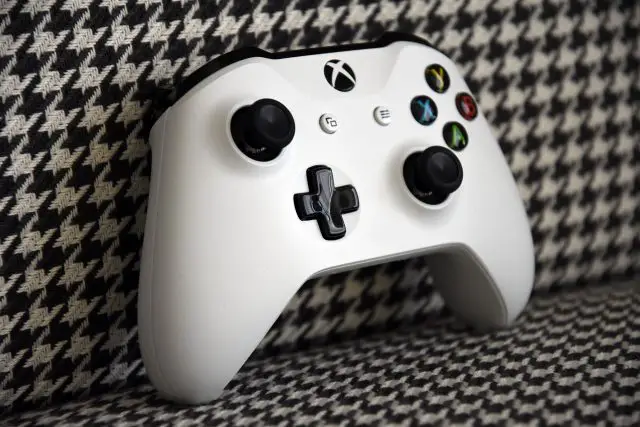
Xbox One

The Xbox One controller is my favorite controller of all time. Everything from the grip design to those amazing sticks and triggers is near perfection. Sure some controllers do some aspects better, but the Xbox One controller is the best overall package.

However, not all Xbox One controllers work with Android. Only the later ones with Bluetooth functionality will work. You can tell by the area surrounding the Xbox button: if it's a separate piece of gloss plastic, it has no Bluetooth, but if it's one piece with the front shell, it will work. No, the Elite will not work. As a bonus, you can also use it with a PC using a separate wireless dongle or a microUSB cable.

You can pick one up for an MSRP of $60, but they can go as low as $25 at times. They also come in an incredible variety of colors (and some people collect the various styles).

And to attach your phone to the controller, you can pick up generic clips pretty much anywhere. Here's a well reviewed one for under $12.

  • Price: $43.45
  • Rating: 3.7/5 (2,800+ reviews)
SEE ON AMAZON

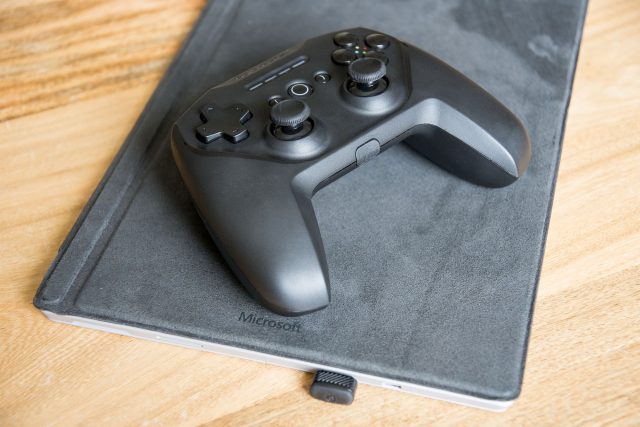
SteelSeries Stratus Duo

I reviewed the Stratus Duo and found a lot to love about the controller. The grip design, the triggers, and the battery life were all highlights of a mostly well designed controllers. The downsides include some hard to reach buttons and a pretty mediocre D Pad. The missing rumble likely won't affect mobile gaming. And it's not cheap at $60. However it does include a dongle for PC for use with a 2.4GHz connection, and the battery is built in and rechargeable for easier travel.

You can pick one up for $60 along with the first party $10 SmartGrip to attach your phone to the controller.

  • Price: $59.99
  • Rating: 3.8/5 (1,800+ reviews)
SEE ON AMAZON

Razer Raiju Mobile

If you're willing to shell out some big bucks, the Razer Raiju Mobile offers a ton of features over the other controllers. It has a built in phone mount, extra buttons that can be customized via a phone app, "mecha-tactile" action buttons (these are pretty awesome), and a hair trigger mode.

It's an awesome controller with a lot of customizability (and no need for carrying a separate phone clip), but it'll cost you. It carries an MSRP of $149.99, but you can get it for a bit cheaper on Amazon. And as you can expect with some of Razer's peripherals, you may run into some quality control problems.

  • Price: $127.90
  • Rating: 3.0/5 (80+ reviews)
SEE ON AMAZON

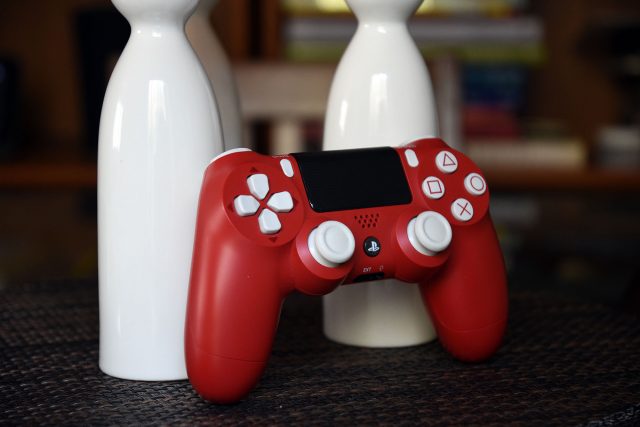
Sony DualShock 4

The DualShock 4 is a classic, though it's not the best on this list. The buttons feel a bit cheaper than an Xbox One, the D pad isn't very good, the triggers are mushy, and the grip isn't ideal for those with big hands. However, it's still a solid controller and much better than many of the aftermarket offerings. It also comes in a variety of colors and designs, and despite the $60 MSRP, can be had for much cheaper than that.

These feature Bluetooth and nothing else, but will work with PC. You may even have one lying around if you own a PS4. The battery life is a weak point but you can always top it up with a battery bank.

You can pick one of these controllers up on Amazon or your local retailer (though the fancy colors will cost you extra) and you can get a Nyko smart clip for $13.50 to hold up your phone.

  • Price: $45.95
  • Rating: 4.3/5 (9,000+ reviews)
SEE ON AMAZON

8Bitdo offerings

8Bitdo is a maker of retro style Bluetooth controllers, and they offer some awesome stuff. You can get controllers in the style of the NES, SNES, Genesis, Gamecube, and more.

They're far more limited than the other controllers on this list, with less buttons and less comfortable grip designs, but they're unique and fun and perfect for emulators. Want to get that old school feel when playing games? These may be the controllers for you.

You can pick up your favorite styles for pretty reasonable prices and relive the past. It won't satiate your need for console quality games of this era, but they're neat little controllers and can even work with the Nintendo Switch!

SEE ON AMAZON


from Phandroid http://bit.ly/2VaG6XO
via IFTTT

5 Great apps to check out this Easter

Job hunting can be very tedious and time-consuming. Fortunately, there are plenty of apps out there which can help you find the perfect job for you. The problem is that there are simply too many apps to choose from. We've done some research and narrowed the list down to the top 5 apps you need if you're looking for a job. They each offer something unique and you might find that you need at least two or three of them if you're looking for the elusive job that you haven't been able to find anywhere else. Here is a list of the best job searching apps that can help minimize the time needed to search and apply for that dream job.

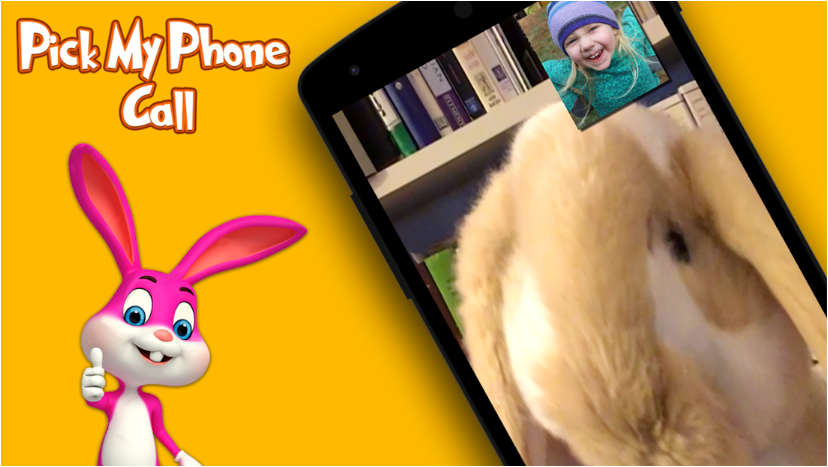
Call Easter Bunny

Kids will love this! Click call and Easter bunny will call and chat with your kids. Are kids ready for an egg hunt? Easter bunny has a few hidden eggs waiting for you. Super easy to use with timers. Open Call easter bunny app, select the time you want to get a call in for your kids, close app and just wait for time to pass, then your phone will ring and easter bunny will come on a video chat with your kids.

Install  Call Easter Bunny

Easter Sweeper – Chocolate Candy Match 3 Puzzle

Spring is in the air! Get in the mood for Easter with this wonderful match 3 game! Play over 1200 mesmerizing levels filled with many challenges. Collect the golden eggs, fill your basket with chocolate goodies and get the Easter bunny out of the magic hat. Clear the remaining ice, make the spring flowers bloom and collect the first butterflies. Eat the cookies, uncover the tasty cakes and fire off the explosive candy canes!

Install Easter Sweeper

Easter Egg Maker

Relive the childhood memories of Easter. Bounce, toss and catch with the fun as you make eggs for your basket. Come join in this fun little game where you prepare your own half a dozen eggs in different designs and colors. Let's celebrate Easter with some blasts of fun! Time to make some multi-color eggs. Easter brings the joy of coloring eggs to you in this game. Dress up your Easter bunny rabbit and your Easter egg. Great for kids and grownups as well!

Install Easter Egg Maker

Selfie with Easter Bunny

Your dream to take a selfie with Easter Bunny will come true with this app. Make an impressive looking photo by adjusting your images with this app. Once you select the frame and your picture, you would be presented with an option to change the frames by next and prev navigation buttons. Internet is not required to navigate through frames. You will now be able to cherish memorable moments with this cool app. Easily share your edited images on a social networking platform.

Install Selfie with Easter Bunny 

Easter Egg Coloring Game For Kids

Let your kids showcase their creativity this Easter by painting and decorating Easter Eggs with some bright and beautiful colors. Painting Easter Eggs was never so much fun and easy. Choose your favorite design from amongst many, color them, save and share with your loved once wishing them a "Happy Easter". Easter Egg Coloring is a completely free game and contains no annoying advertisements. It is absolutely kids safe.

Install Easter Egg Coloring Game For Kids


from Phandroid http://bit.ly/2Zma2j3
via IFTTT

5 reasons we’re excited for the OnePlus 7

The OnePlus 7 will be announced soon, and you can bet your bottom dollar that we are pretty excited for it. This is because OnePlus is still one of the rare smartphone companies that have not priced their smartphones through the roof, meaning that we have look forward to a flagship smartphone that does not break the bank.

The handset has been rumored to launch on the 14th of May, so in the meantime, here are five of the reasons why we are looking forward to the company's upcoming flagship handset.

Price

Price is obviously the first. OnePlus started out by selling the OnePlus One for a mere $300, and while they have increased their prices over the years (which is to be expected), it is still well within the affordable range. Take for example the OnePlus 6T which came with flagship features but was only priced at $550.

According to some of the rumors, the OnePlus 7 is expected to be priced starting at $570, making it a tad more expensive, but still very affordable.

Notch-less Design

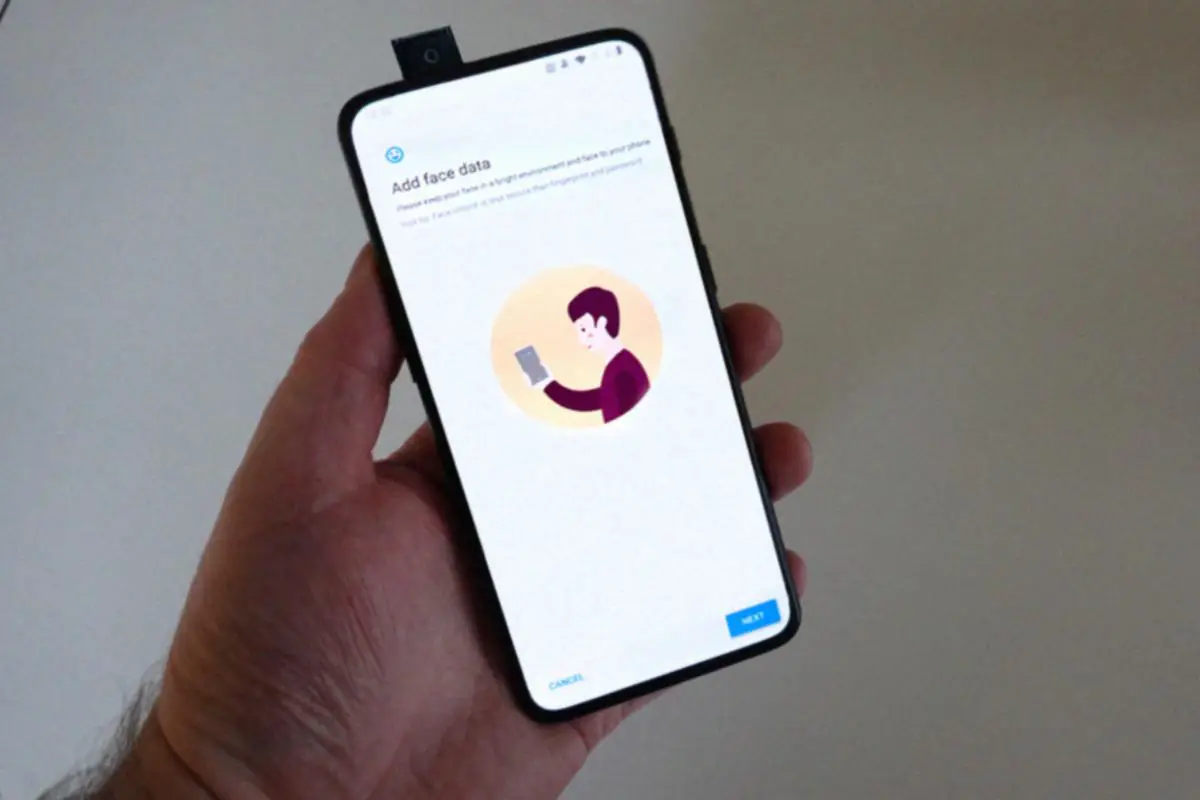
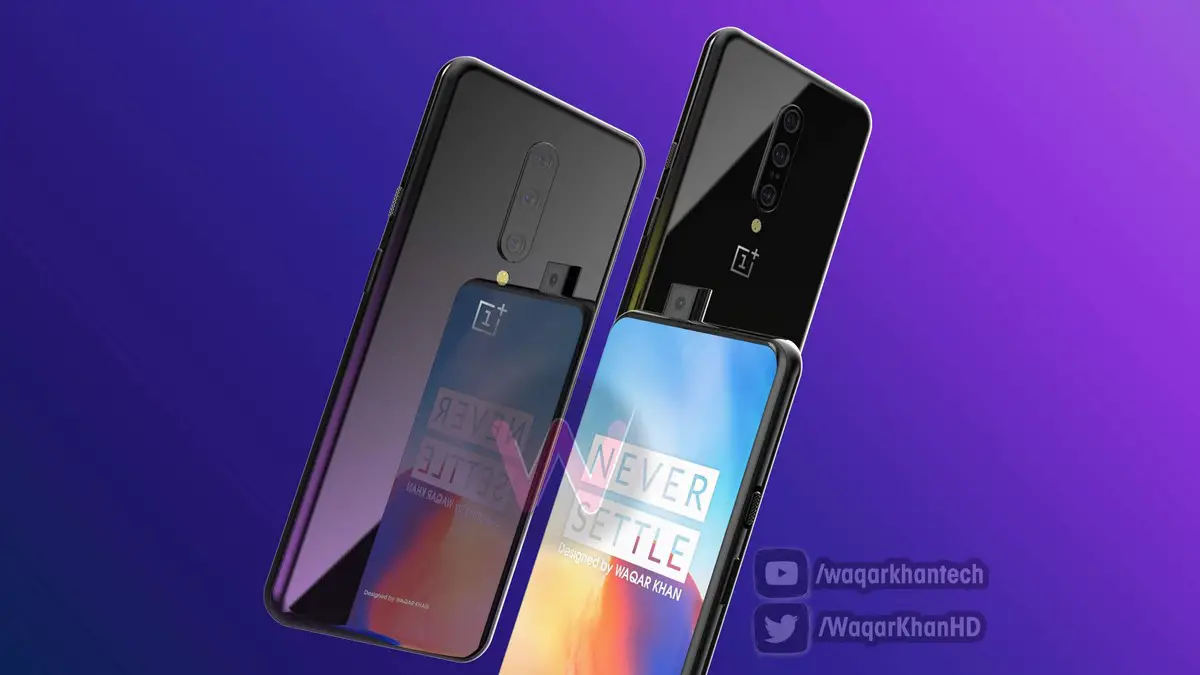
For those who aren't a fan of the notch, the good news is that the OnePlus 7 could be ditching the notch. Leaked renders of the handset have revealed that OnePlus could be turning to the use of a popup front-facing camera. Some might debate the durability and fragileness of a popup camera, which are valid points, but we have to concede that it lends itself to a sleeker look.

Triple Rear-Facing Camera

The OnePlus 6T had a dual rear-facing camera setup, but previously leaked renders have shown that the handset (or at least one of the variants) could sport a triple camera setup. While OnePlus phones haven't exactly been known for their cameras (they're decent, but nothing to shout about), hopefully, the triple camera will bring about some improvements to overall quality.

90Hz Display

We have heard some rumors that OnePlus could be stepping up their game with their displays and could offer a display with 90Hz refresh rate on the OnePlus 7. Granted we would have loved to see more smartphone makers enable 120Hz on their displays like the Razer Phone, but 90Hz is still better than your average smartphone so we'll take it.

5G

OnePlus had previously confirmed that they are working on a 5G smartphone, and the rumors are claiming that the company could launch a 5G version of the OnePlus 7. While 5G is still in its infancy, it's good to see companies like OnePlus offer 5G handsets for early adopters and give customers more options.

Of course, expect to pay a bit more for the 5G model, but we imagine that even with a $100-$200 price increase, it would still make it one of the more affordable 5G smartphones around.


from Phandroid http://bit.ly/2UMNQzD
via IFTTT