Friday, February 2, 2018

Special Edition Razer Phone is announced that really isn’t all that special

The Razer Phone has been available for just a couple of months, but it seems that the company is ready to release a new variant. Earlier today, Razer announced a new version of the Razer Phone which is being released to commemorate the Chinese New Year.

However, this device is a bit questionable as the only real change is a color change of the logo on the back from green to gold. Other than that, the CNY Razer Phone is the exact same device that you can get with the green logo.

Sure, you'll get a few cool stickers in the box and some neat packaging, but that's literally it, as there are no more changes to the device itself. As a refresher, the Razer Phone features a 5.72-inch 120Hz display, while being powered by the Snapdragon 835 chipset, 8GB of RAM, and 64GB of storage.

The device has seemingly been hit or miss since it's released, but Razer has been steadfast in releasing useful updates. The latest update brings HDR and surround sound for Netflix, while the company has also continued to work on improving camera quality.

If you're intrigued by the CNY Razer Phone, you can pick it up for yourself at the online Razer storefront for $699.99 with free shipping via the button below. Let us know what you think about this "special edition" and if you're interested in picking this up for yourself.

Buy the Razer Phone


from Phandroid http://ift.tt/2BOsgg9
via IFTTT

Best Android Phones – February 2018

As astute (and devout) fans of Android phones, we at Phandroid like to keep tabs on the best smartphones that your money can buy, whether you have a meager budget or the means to buy the best of the best. Be sure to explore the best Android smartphones with us!

Best Smartphone Overall: Samsung Galaxy Note 8

The Samsung Galaxy Note 8 is the most complete smartphone ever made. It offers a nice, big, beautiful AMOLED display, a formidable camera system, unique S-Pen features, and sheer, raw power. You will pay a really high price tag for it all, but this is the one phone that may be worth every penny.

Read More

Full List: Best Overall

Best Cheap Smartphone: ZTE Axon 7

For $399, the ZTE Axon 7 is one of the only Daydream VR certified phones on the market., which means it can take advantage of Google's latest vision for VR. That's not just marketing speak, either, as Daydream phones have some serious requirements to be called such, the most consistent of which are the inclusion of a Snapdragon 820 chipset, 4GB of RAM, and a 5.5-inch 2560 x 1440 display.

Read More

Full List: Best Cheap

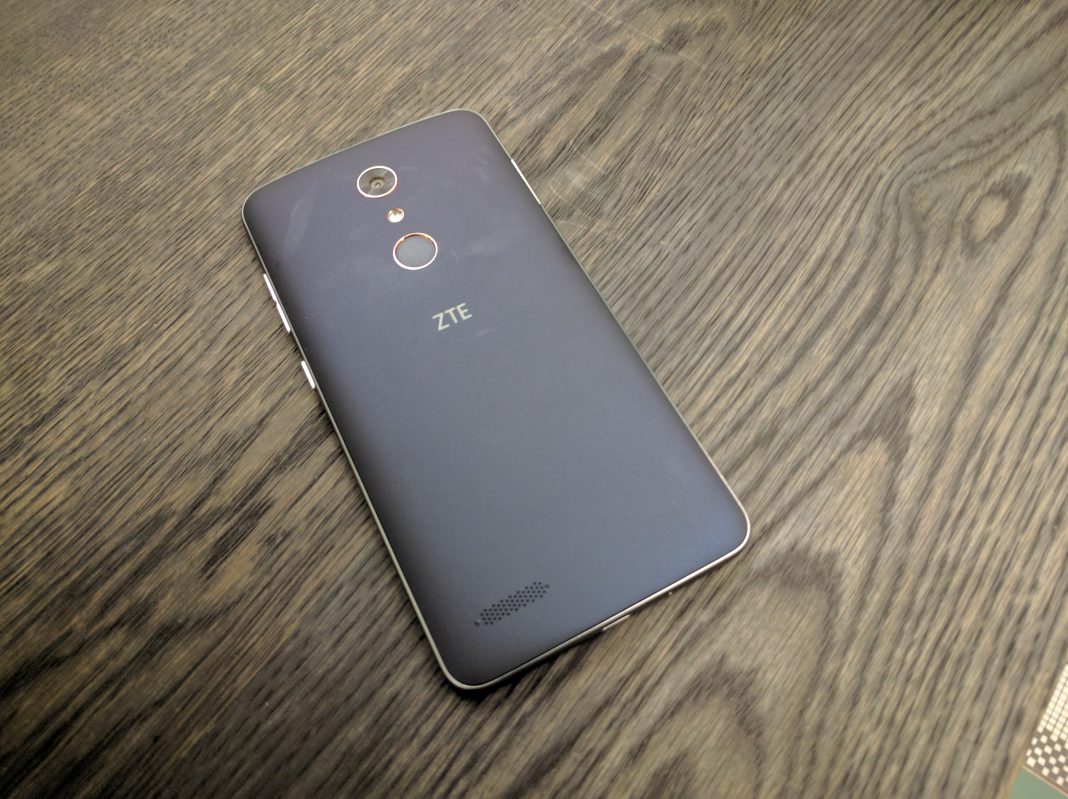
Best Smartphone Under $100: ZTE ZMax Pro

At $99, the ZMax Pro brings an immense amount of value with features like a massive 6-inch Full HD display and even a fingerprint sensor. For horsepower, the phone relies on an octa-core Snapdragon 617 chipset and 2GB of RAM, and a 13MP camera on the rear should do well enough for some casual memory capturing.

Full List: Best Under $100

Best Smartphone Camera: Pixel 2 / Pixel 2 XL

The Pixel 2 and Pixel 2 XL are the first smartphones to achieve a score of 98 from DxOMark's mobile testing labs, beating out the likes of the Galaxy S8 and HTC U11. HTC's camera takes well-balanced photos with a pleasing color balance, great sharpness and detail, and remarkable low-light performance. Add in Google's AI-infused enhancements and there's little that can match it.

Read More

Full List: Best Camera

Best Smartphone for Battery Life: ASUS Zenfone 4 Max

The Zenfone 4 Max has one of the biggest batteries available in a smartphone. All that battery makes for a hefty device, but it's surprisingly thin. Just think of it like a permanent battery case.

Full List: Best Battery Life

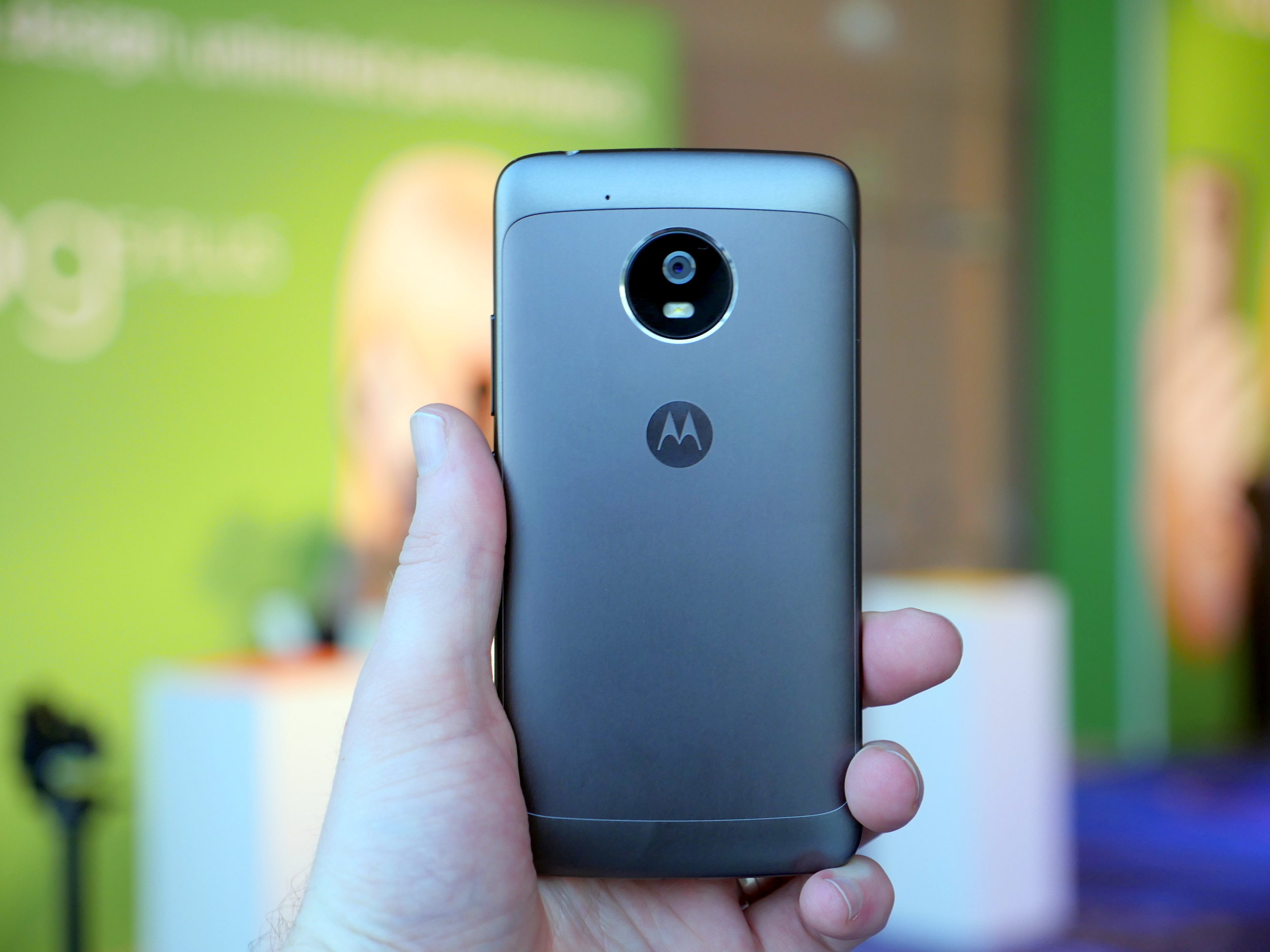
Best Smartphone for Kids: Moto G5

The Moto G5 is a great option for kids. The smartphone comes in starting as low as $199, and it has a wide range of features to ensure your child can do whatever you need with it. Specs include a 5-inch 1080p display, a 13-megapixel rear camera and 5-megapixel front camera, and a 3,000mAh battery with Turbo Charging.

Read More

Full List: Best for Kids

Best Durable Smartphone: Samsung Galaxy S8 Active

The Samsung Galaxy S8 Active may not be the most durable phone on this list, but it certainly is the most well-rounded of the lot. This phone's tough exterior can withstand more than a punch or 2. At the same time, you don't have to sacrifice powerful specs, a beautiful display, and a great camera.


Full List: Best Durable

More Best Smartphones


from Phandroid http://ift.tt/2nwJMRx
via IFTTT

Google says device shipments doubled in 2017, revenue up 38%

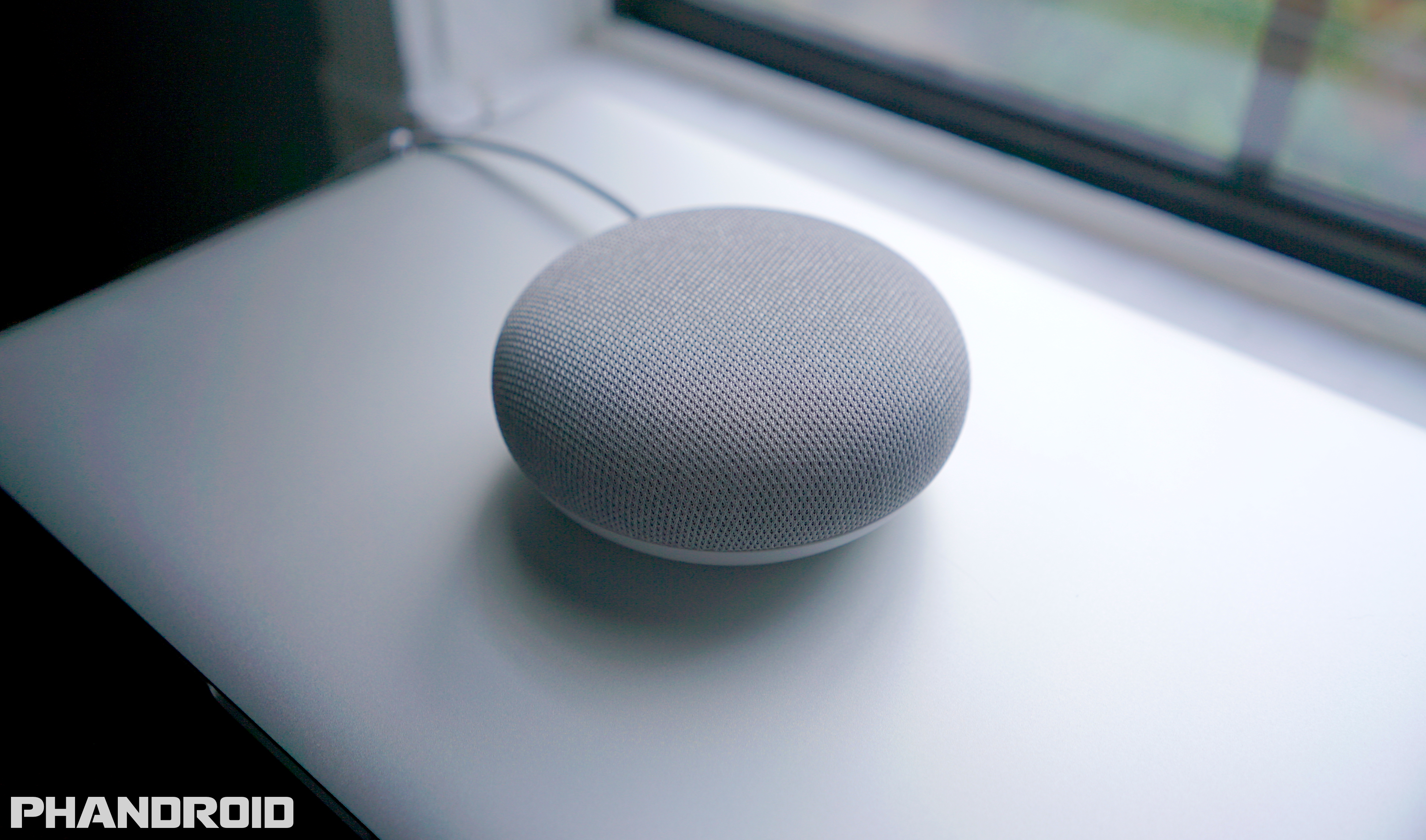
Google has shared their financial numbers from Q4 of 2017. A massive company like Google includes various departments and divisions. Some areas saw growth, others reported a loss. The category we're interested in is called "Other Revenues." This is where Google puts hardware like the Pixel 2 and Google Home Mini.

Other Revenue includes hardware and also sales from the Play Store. Pretty much all of Google's Android offerings are in this category. Other Revenue was up 38% compared to last year, which is a revenue of $4.69 billion. Google didn't share specific device numbers, but Sundar Pichai said device shipments more than doubled year-over-year. This is no doubt due to the Google Home Mini holiday sales.

2018 will be a big year for the Other Revenue category. They now have HTC's hardware division to help crank out the next Pixel and more Google Home devices. Hardware is only getting bigger at Google.


from Phandroid http://ift.tt/2EcJ19V
via IFTTT

Thursday, February 1, 2018

YouTube TV is now officially available on Roku devices

YouTube TV, although easily one of the best live TV streaming options out there, might not be worth much to you if it's not compatible with your particular streaming device. But that the good news is that compatibility list is growing all the time and starting today, most Roku owners have a new option when it comes to streaming live television.

Roku officially announced that YouTube TV is now officially available on (select) streaming sticks, set top boxes, and televisions. YouTube Live costs $35/month and gives you access to around 50 live TV streaming networks including: ABC, CBS, FOX, NBC, CW, Disney Channel, ESPN, FX, Telemundo, and more. Premium networks like Showtime and Fox Soccer Plus are also available for an additional charge like they are everywhere else. Additional YouTube TV features include:

  • Cloud DVR with no storage limits
  • "Library" tab that includes easy access to the shows you've recorded. Browse movies, shows, and events by new, most watched, and more to find the perfect thing to watch
  • "Home" tab with personalized recommendations, including top picks, resume watching (easily pick up where you left off on another device when you get home!) and more
  • "Live" tab with a full program guide to see what's on now and what's airing soon
  • Background playback experience so you never miss the action while you browse the app
  • Ability to share with up to 5 other roommates or family members in your household. Each family member gets their own login, DVR, and personalized recommendations

You can add the YouTube TV channel to your Roku device by clicking the button below. Enjoy.

Add YouTube TV Roku Channel


from Phandroid http://ift.tt/2s0MIul
via IFTTT

7 ideas to re-purpose old Android phones you have laying around

It's been more than a decade since the original iPhone propelled smartphones into the mainstream devices that they are today, which means plenty of us have old devices stuffed in drawers or loaned out to family members while we get the latest and greatest the tech world has to offer.

If you're like me and you have a handful of devices laying around, you may be wondering what new and creative ways you can use these put-to-pasture smartphones again. Some of these are handy while others are downright silly, but don't knock it until you try it!

1. Create time-lapse photos & videos

Time-lapse photos and videos are one of the more interesting uses for your old smartphones, especially if you want to create a time-lapse of something in a static location like the construction of a nearby building, traffic at a certain intersection, or even track your own weight loss progress by taking a photo every day.

Instead of forcing yourself to remember to do this with your everyday carry phone, why not set up your old smartphone on a tripod so you're guaranteed to get the same shot each and every day. Then you can connect it to WiFi and set up an app like Tasker to take a photo and video at the same time every day for a specified period. Then you'll have the perfect series of photos to put together into a time-lapse.

Be sure to check out our quick guide on how to take perfect time-lapse photos and videos with an Android smartphone.

2. Turn it into a GPS nav for your car

There's nothing more annoying than the little dance you have to do to get your everyday driver into the smartphone cradle that you use in your car. Ever spent a car trip with your phone open to Google Maps on your knee while you're driving? Well, you can alleviate that by turning your old smartphone into a "dumb" GPS system.

Download the area where you do most of your commuting in Google Maps, so you can navigate while offline. You'll have to connect the phone to WiFi and redownload the maps every 30 days to keep them accurate and you won't get up-to-date traffic info if the phone doesn't have a WiFi connection, but in a pinch your old phone is great for navigating without eating into your everyday carry's battery time.

3. Turn it into a dash cam for your car

Prefer to use your current phone with its updated maps and up-to-date traffic info for GPS? That's cool. But you could repurpose your old smartphone into a dashcam for plenty of cool purposes. Taking a road trip and want to create an amazing time-lapse? Want to have video proof in case of an accident for insurance purposes? Your old phone can serve that purpose very well.

There are a handful of apps available on the Google Play Store that make this easier. These apps feature the ability to start recording upon movement detected, capture video, photos, and even re-map your entire journey. It's best to use a phone that features a microSD card slot for this purpose, that way you can save long videos and go through them should anything happen while you're driving.

Check out our guide on how to turn your old Android phone into a dash cam for tips and tricks on getting started.

4. Use it as a Chromecast remote

Google Cast is being built into more and more of our everyday appliances that we use. TVs, soundbars, speakers, and more can all be casted to with just the touch of a button and what better way to control it all than your old smartphone? This is especially handy if your old smartphone features an IR blaster, because then you can control all your devices together.

A handful of apps available on the Google Play Store can make this a reality for you. If you have a Roku or a similar Android TV player there are universal remote apps that allow you to control them from a smartphone as well.

With smart devices becoming more prevalent in today's homes, the list of devices you'll be able to control with a smartphone is steadily growing.

5. A standalone music player

This one is pretty obvious, but any phone with a decent internal space makes a great MP3 player. There are a ton of great material design music player apps that will display your tunes in glorious detail while you're at the gym, all while conserving the battery on your every day carry device.

The best part is you can fill your old phone full of music and use it in your car, while you're working out, or walking home. It probably has a 3.5mm headphone jack too, so you can still use your favorite pair of analog earbuds or headphones as we march into our jackless future.

For a few tips and tricks for getting started, check out our guide on converting an old Android phone into a standalone music player.

6. Make a portable hotspot

Plenty of carriers offer data-only SIMs that you can throw into your device in order to use it as a portable hotspot for your other devices. Granted, these plans are still pretty expensive and you'd want to use them sparingly, but sharing the connection from your phone is still a lot better than dealing with the janky hotspot that you'll have to pay or sign up for a two-year contract to get from a carrier.

If you're looking at your data-only options and you don't use a ton of data per month, be sure to check out Google's Project Fi. If you're already a Cricket subscriber, getting a data-only SIM is relatively easy. Verizon also offers data-only SIMs but their prices are less than reasonable when you consider what you're getting for what you're paying.

7. Use it as a confiscation decoy at school

This one is for teenagers who go to schools with strict rules about being caught with cellphones out. The idea comes from redditor memgrizz72, who says he attends a high school where phones are confiscated if they go off in class or you're caught using them. To avoid this, he carries around his old HTC M8 smartphone to hand over in case a teacher wants the phone, so he can continue using his Sony Xperia Z5.

I chuckled a bit when I read this idea, but it makes great sense if you accidentally leave your smartphone on while in a class and you don't want to lose it to a teacher. Hand over the old smartphone and continue using your current one of the rest of the day, collect the old one at the end of the day, and smile because you actually got away with something.


from Phandroid http://ift.tt/2GDoidz
via IFTTT

Android Oreo comes to the Honor 8 Pro and Honor 9

Despite being available for the better part of five months, Android Oreo is still working its way onto many devices that were launched last year. The latest of which comes from the Honor lineup with owners of both the Honor 8 Pro and Honor 9 reporting that Oreo is beginning to arrive on devices.

The catch here comes in form of the region of which these devices are seeing the update, as it seems things are limited to the UK at first. Unfortunately, there was no mention or confirmation as to whether this update would be making its way to more and more regions.

Regardless, it would be highly unlikely for Honor to not bring Oreo to more devices once the company has confirmed that all of the bugs are worked out in this incremental push. The move to bring Oreo to the Honor 9 and 8 Pro comes after Huawei already began pushing the update to the likes of the Huawei Mate 9 to those of us here in the States.

As for some of the features that are coming to the Honor 9 and 8 Pro, you can expect all of the usual goodies such as Picture-in-Picture, speed increases, and more. It's also important to remember that you won't have a "stock" version of Android, as this build of Oreo is built on EMUI 8.0, Huawei's latest version of its software overlay.

Let us know if you begin seeing the update arrive on your devices, and how it's currently running for you.


from Phandroid http://ift.tt/2DXiQVq
via IFTTT

You can now use music as an alarm for the Google Home

Setting an alarm is one of the most basic and most useful features on the Google Home devices. You can quickly set an alarm without having to pull out your phone, find the clock app, and enter a time. One thing that might annoy people about this feature is the default alarm tone. It's a little annoying, and, in my case, it sets off my dog.

According to the Google support page, a new feature allows you to use music for the alarms. All you have to do is ask Google to "set a music alarm at (time)." Google will then ask what song you'd like to play. It will use your default music app to find the song. The music will start playing at the desired time, but it won't fade in if that's something you need in alarms.


from Phandroid http://ift.tt/2nAcQH5
via IFTTT